8.7 Preparing the Migration
During the process of preparing a workload for migration, all the required data transfer software is installed on the source workload and a target workload is created on the target container.
8.7.1 Using the Migrate Client
When starting a migration job, PlateSpin Migrate validates the job type, the source, the target, and the selected parameters, and might generate errors and warnings.

|
Error markers show configurations that you need to change before the migration job can start. |

|
Warning markers alert you to settings that should be confirmed prior to starting the migration. |
In a default PlateSpin Migrate configuration, validation messages display at the bottom of the Action window. However, If you have configured PlateSpin Migrate to bypass the Action window on drag-and-drop, errors and warnings are displayed in a separate window:
Figure 8-2 Migration Validation Window
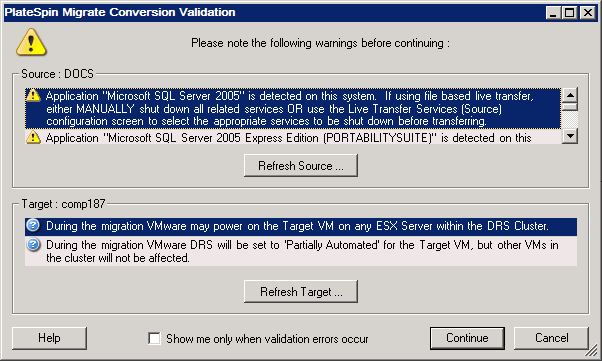
To force this window to open only on errors, select the option.