6.9 Volumes and Storage
Upon adding a workload for protection, PlateSpin Forge inventories your source workload’s storage media and automatically sets up options in the PlateSpin Forge Web Interface that you use to specify the volumes you require for protection. For more information, see Section 1.1.5, Supported Storage.
Figure 6-1 shows the Replication Settings parameter set for a Linux workload with multiple volumes and two logical volumes in a volume group.
Figure 6-1 Volumes, Logical Volumes, and Volume Groups of a Protected Linux Workload
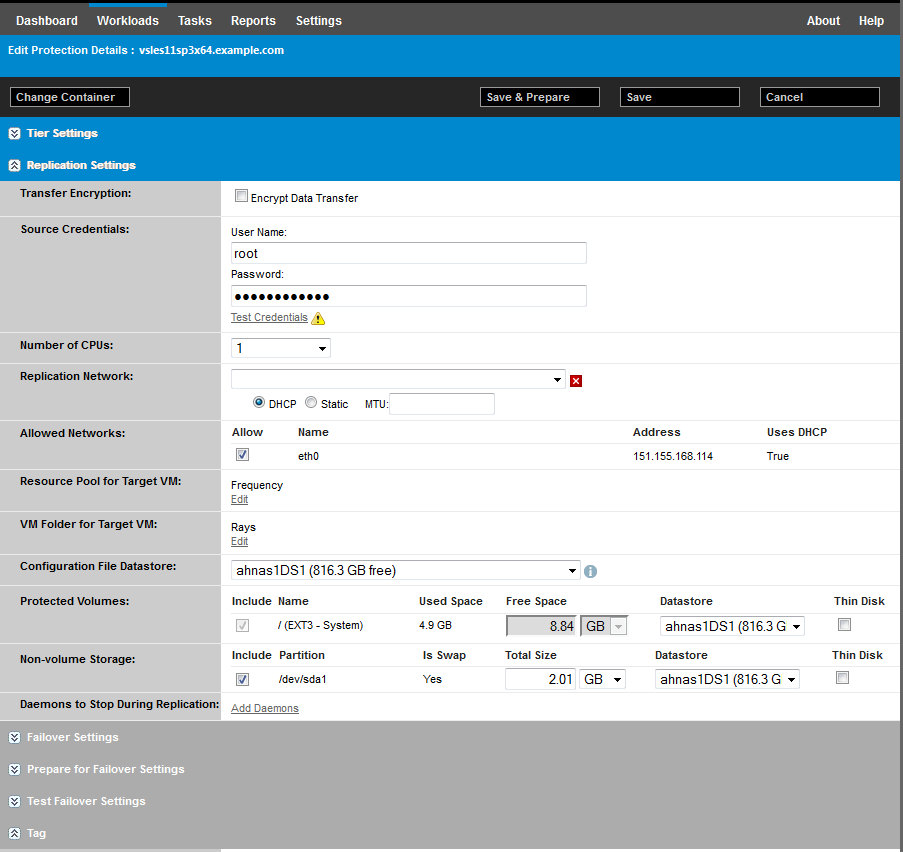
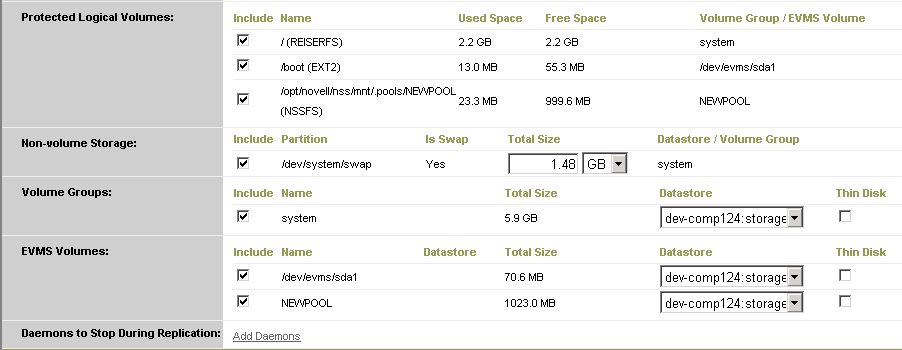
Figure 6-2 shows volume protection options of an OES 2 workload with options indicating that the EVMS layout should be preserved and re-created for the failover workload:
Figure 6-2 Replication Settings, Volume-Related Options (OES 2 Workload)