6.7 Managing Favorite Reports
6.7.1 Adding Reports as Favorites
You can mark individual report definitions as Favorite so that they are easier to find.
-
Log in to Sentinel Log Manager.
-
In the Reports section.
-
Select a report definition from .
-
Click the drop-down list in the Report Viewer pane and click .
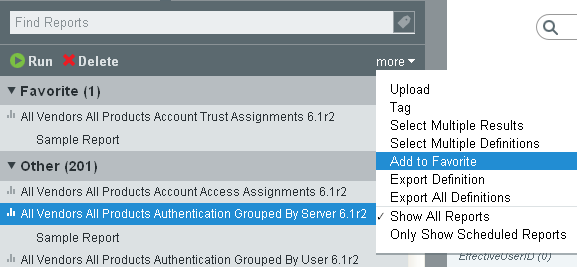
The selected report definition is displayed in in the Reports Viewer pane.
NOTE:The reports marked as favorites are on a per-user basis. Each user can have a different set of favorite reports.
6.7.2 Removing Favorite Reports
-
Log in to Sentinel Log Manager.
-
In the Reports section.
-
Select a report definition from .
-
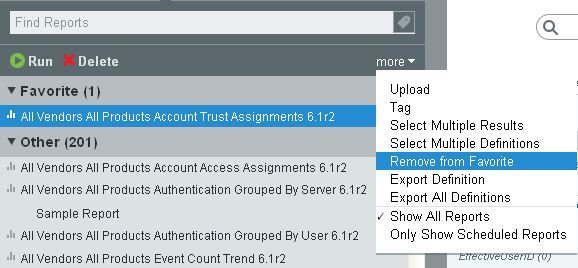
Click the drop-down list in the Report Viewer pane and click .
-
The selected report definition is removed from and added to in the Report Viewer pane.