9.3 Using the Operation Data Editor
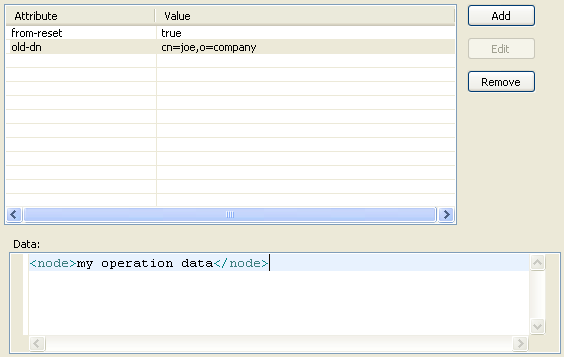
The Operation Data editor allows you to create an operation data element for the selected operation by specifying attributes and values that should be included in the node. An XML fragment should also be included in the node.
-
In the column of the Policy Simulator, double-click the field.
-
In the Operation Data editor, click to add the desired attribute.
-
Specify the name of the attribute in the field.
-
Specify the value of the attribute in the field.
-
If you want to add an additional attribute, repeat Step 2 through Step 4.
-
Click the field, then specify the XML fragment.
-
Click to save the information.