3.3 An Error is Displayed While Trying to Access SSPR as an Administrator
Issue: When you are trying to access SSPR as an Administrator user, you might see the following error:
2022-01-20T08:01:15Z, FATAL, servlet.AbstractPwmServlet, {19,uaadmin} unexpected error: 5027 ERROR_UNAUTHORIZED (admin privileges required)
This issue is specific to Identity Manager Docker container deployment on Azure. (Defect 479135)
Workaround: Perform the following steps to resolve this issue:
-
Log in to the Visual Studio Code application.
-
Click
 .
. -
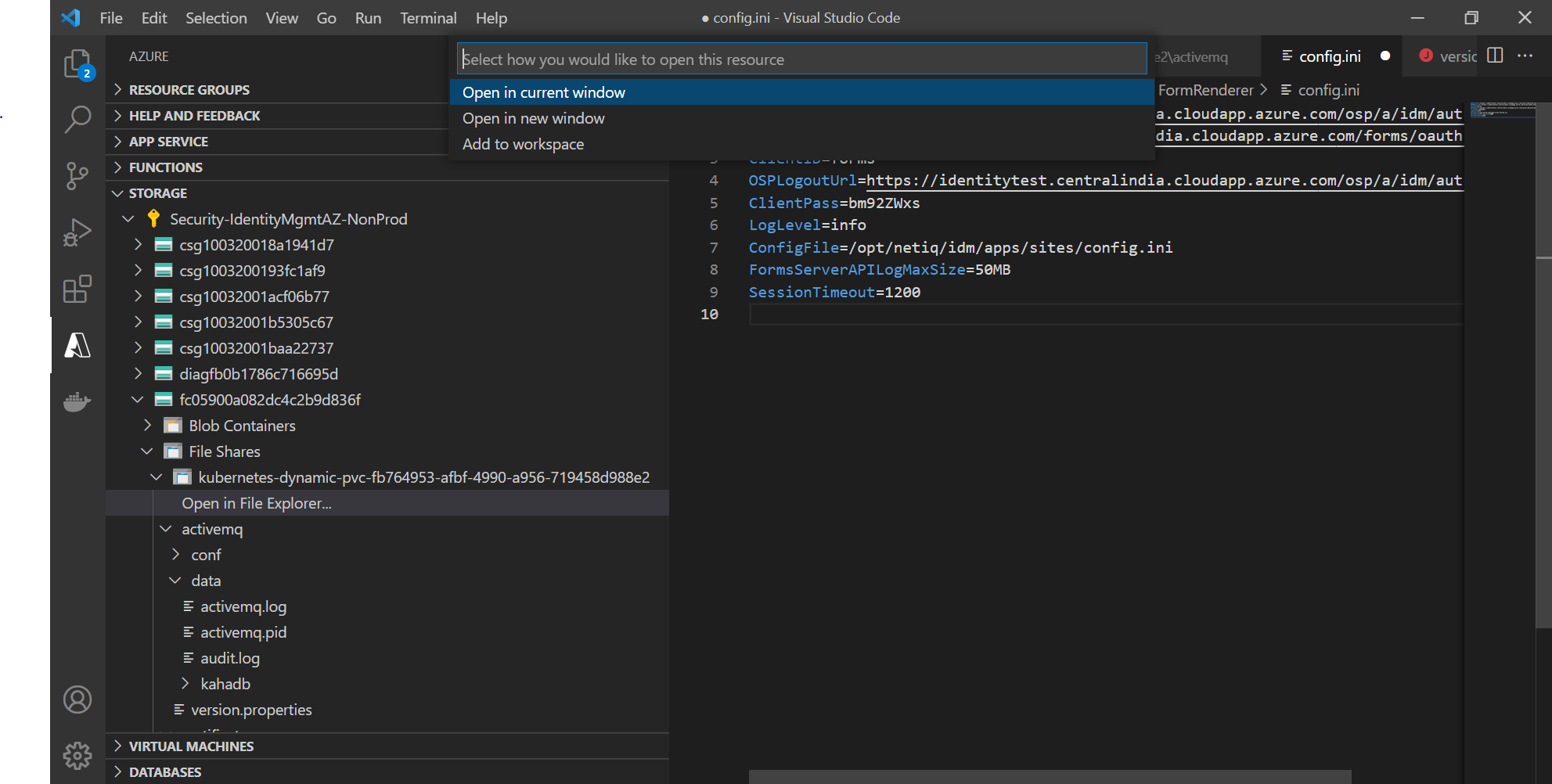
Go to > > > > > > . Refer to Figure 3-1.
NOTE:In the above navigation path, the Security-IdentityMgmtAZ-NonProd and fc05900a082dc4c2b9d836f key is mentioned for your reference and would change as per your login credentials.
Figure 3-1 Visual studio code configuration view
-
Click > .
-
Update the following values under Administrator Permission.
<value>{"ldapProfileID":"default","ldapQuery":"(objectClass=*)","ldapBase":"cn=admin,ou=sa,o=system"}</value><value>{"ldapProfileID":"default","ldapQuery":"(objectClass=*)","ldapBase":"cn=uaadmin,ou=sa,o=data"}</value>
-
Go to menu, click .
After saving the changes, the system automatically triggers the deployment of SSPR containers with the updated values.