3.5 Using the SecureLogin Client Utility to Enable Applications for Single Sign-on
You can enable an application for single sign-on through the SecureLogin Client Utility as well as through the Application Definition Wizard.
-
Double-click the SecureLogin icon
 in the notification area. This launches the SecureLogin Client Utility with the menu selected.
-
Click
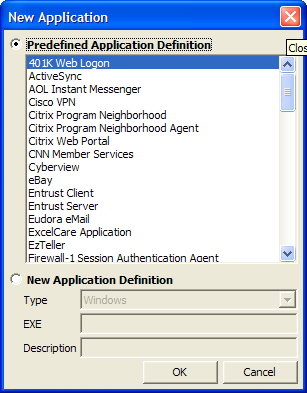
 . Alternatively, select > > . The New Application dialog box appears.
-
From the list, select the appropriate application definition.
-
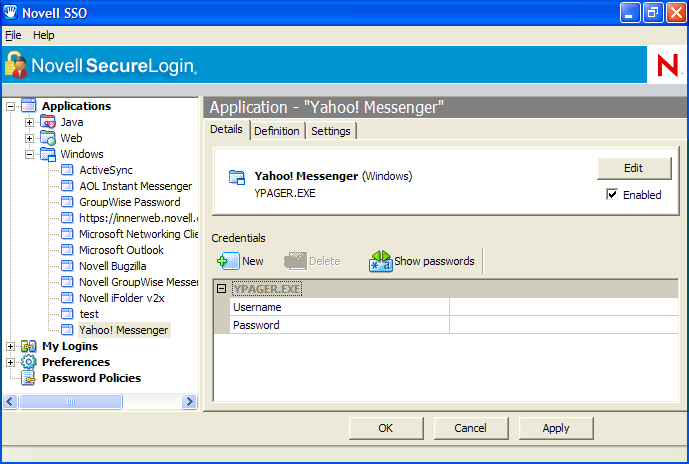
Click . Details of the selected application appear.
-
On the Details page, specify the username and password of the application.
-
(Optional) Click the tab and define your preferences.
-
Click to apply the new login details.
-
Click to save and exit.