5.2 Changing a Passphrase Policy
The passphrase policy now applies to all users inheriting configuration from the selected object. You can change or disable it at any time.
-
Launch the Administrative Management utility (iManager, SLManager, or MMC snap-ins).
-
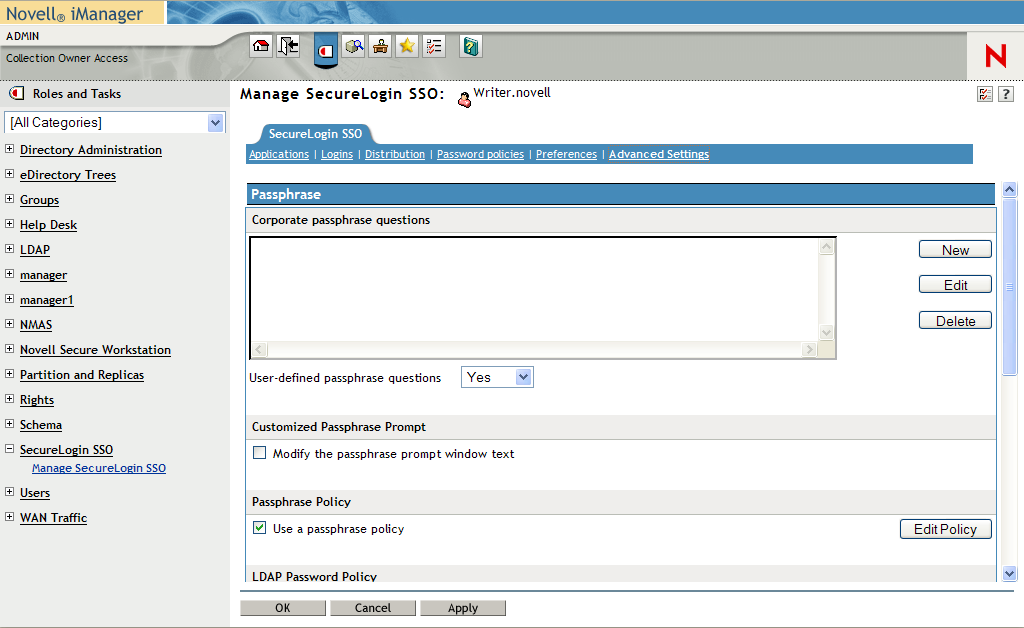
Click . The Advanced Settings options are displayed.
-
Select the check box.
-
Click The Passphrase Policy settings page is displayed.
-
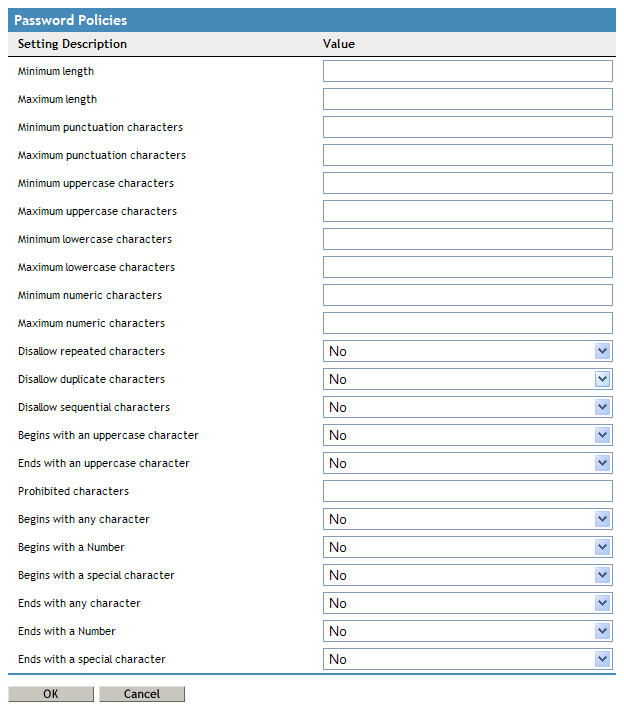
In the column, click the policy rule you want to edit, then in the column, specify the required value.
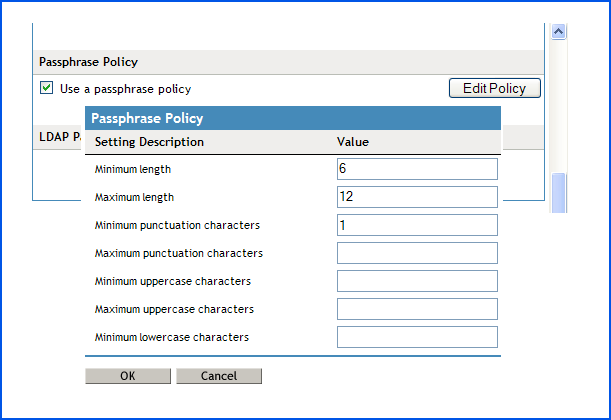
For example, if you think that users might find it easier to remember basic rules for all passphrases instead of remembering exactly how they typed a passphrase when they created it, you could require all passphrases to contain a minimum of four characters and a maximum of 12 characters. Set to 6 and set to 12.
By default, passphrase responses are required to contain a minimum of six characters. For security reasons, any passphrase policy you implement must also contain a minimum of six characters.
-
When you have finished setting the values in the table, click . The new values are added to the column.