6.8.5 Database Access Through Privileged Account Manager Proxy
You can use this feature to protect a database by controlling and monitoring the activities of the users who connect to the database through database connector. A database connector acts as a proxy between the user’s database client and the database server. This Privileged Account Manager proxy IP address and port number must be communicated to the user to whom you are providing access.
Figure 6-4 Database Connector
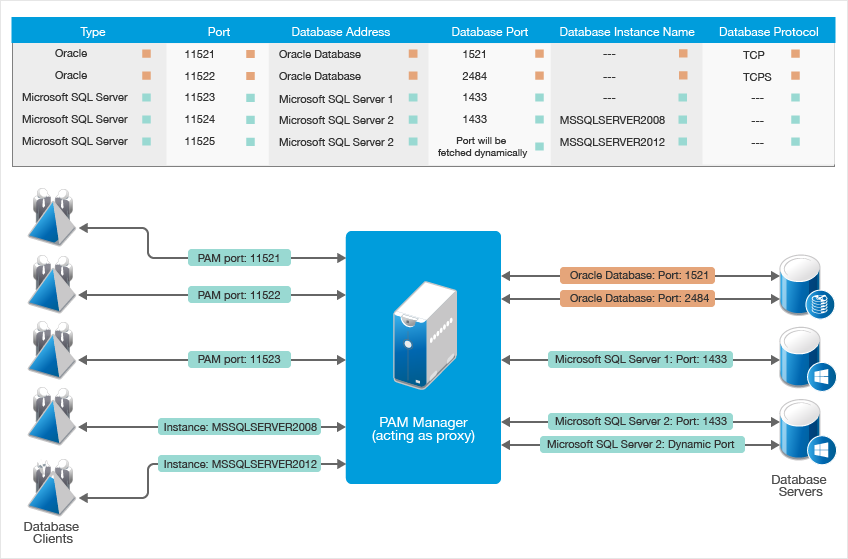
After you provide database access through Privileged Account Manager proxy, you can allow the user to log into the database using:
-
Their own database credentials.
-
Credentials checked out from Privileged Account Manager.
In this method, you are enhancing the database security by allowing Privileged Account Manager to manage database credentials.
For configuring the database access through Privileged Account Manager proxy to monitor the database activities, perform the following: