3.3 Configuring the Required Virtualization Technology Setting
PlateSpin Forge requires an setting of Enabled in the System BIOS.
To configure the Virtualization Technology setting:
-
Access the System Setup utility.
-
In the System Setup Main Menu, select .

-
On the System BIOS Settings page, select .
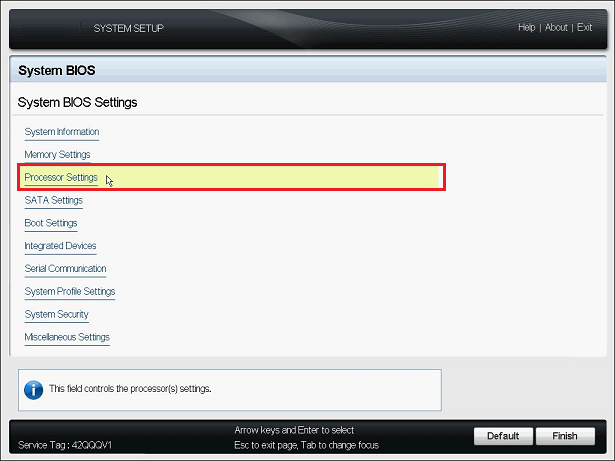
-
On the Processor Settings page, ensure that the setting is set to .
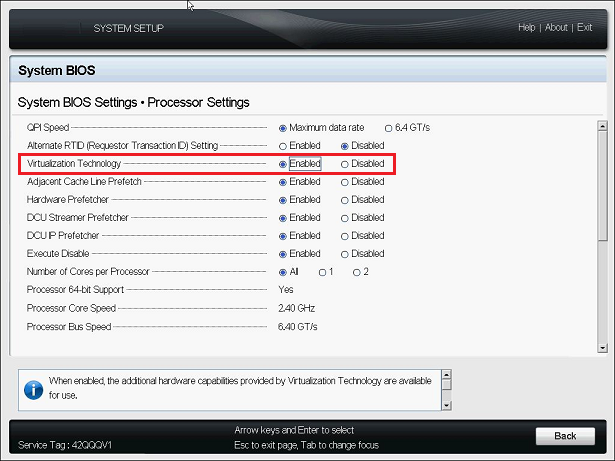
-
Press Esc twice to exit the Processor Settings and return to the System Setup Main Menu.
-
(Conditional) If you are prompted to save the changes made to the BIOS, click .
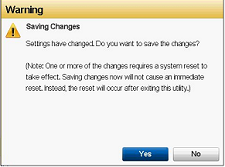
You should see a message indicating that the changes were saved successfully. Click to dismiss the confirmation.
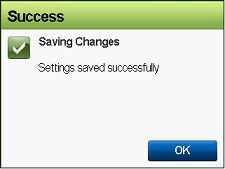
-
Exit the System Setup utility.