7.4 Exporting Search Result
You can use the link to export your search result as a .zip file.
The link is displayed at the top of the search result after performing a particular search. You can use this search result as a reference in the future.
NOTE:If there are no results for the performed search, the link does not appear.
-
Log in to Novell Sentinel Log Manager.
-
Perform a search.
-
To export the search result, click the link. All the search results are written into a .csv file, which is then zipped and provided for download.
-
On clicking on link, an window is displayed with the option to save the Search_xevents.zip file on your local machine.
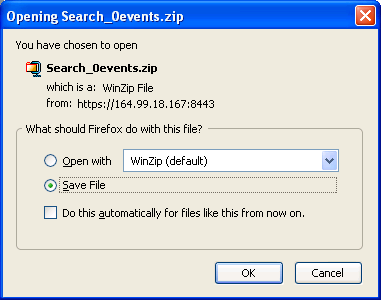
This zip file has the information about the various fields of the event source.
Where is the number of the tab result search.
For example; the first tab search result is named as and the second tab search result is named as , and shown in the search result page.
NOTE:To maintain the consistency between the total search results in the Sentinel Log Manager user interface and the exported events, it is important that the time of the client and the server are in sync. If the time is out of sync, then there may be differences in the total events in the Sentinel Log Manager user interface and the exported events.