6.5 Defining User Authentication Settings
Define user authentication identities for tests that require them, such as LDAP and tests that require Integrated Windows Authentication (IWA)/Windows NT LAN Manager (NTLM) authentication. During deployment, tests load all associates user authentication identities.
To define user authentication settings:
-
In the Explorer pane, expand the root element > Experience Manager Adapter > > .
-
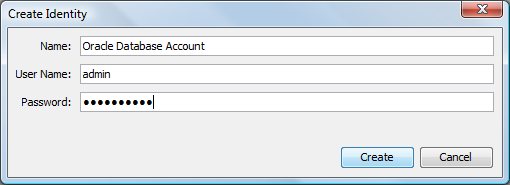
Right-click , then click to open the Create Identity dialog box:
-
In the text box, type a name for the identity definition.
-
In the text box, type the expected user name.
Enter the domain\user name for an HTTP(S) scenario to perform authentication with a Web server that requires IWA/NTLM authentication. For example, NET1\ajones. When the test executes, Experience Manager detects the IWA/NTLM requirement and performs the authentication.
-
In the text box, type the expected password.
-
Click the button to save the identity definition.
The new identity definition displays under the element.