5.6 Editing Scenarios
To edit test scenarios:
-
In the Explorer pane, expand the root element > > > > .
-
Right-click a scenario, then click to open the Status property page.
-
In the left pane, click to open the Scenario property page:
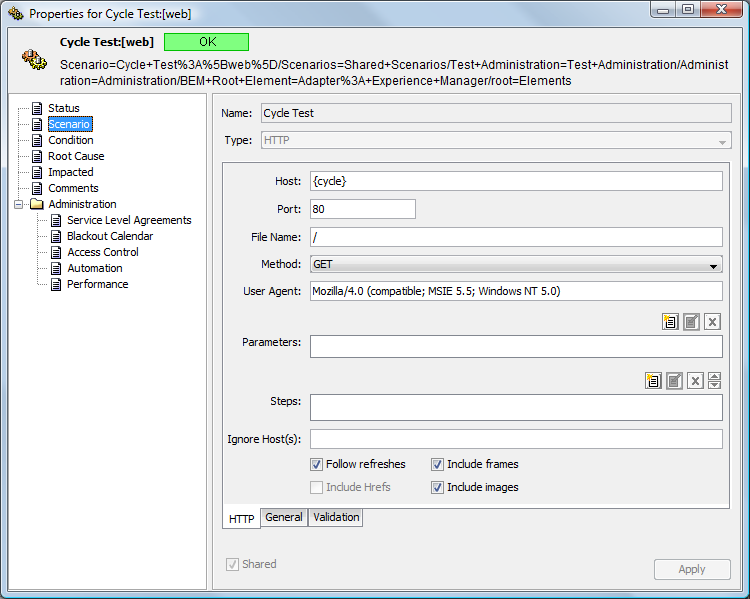
-
Edit the values, then click the button to save the changes.