4.3 Assigning an Adapter Icon
The icon specified at the adapter definition level is associated with the adapter element displayed under in the Operations Center console. Select an adapter-related icon from the icon class browser.
To specify an icon for an adapter:
-
Select the root element in the pane.
If you have just created the adapter, it is already selected.
-
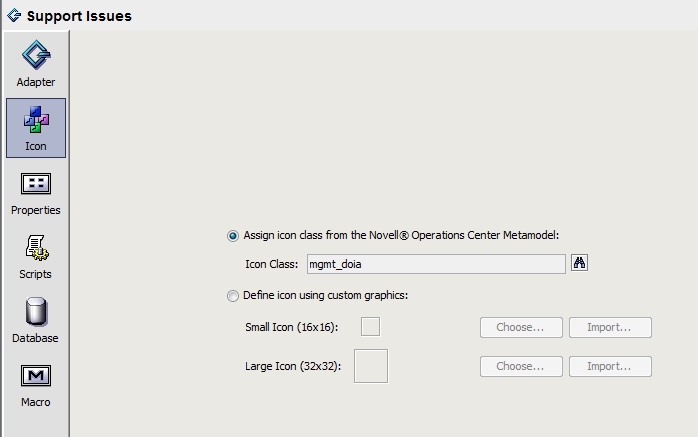
In the right pane, click to define icon properties:
-
Select a radio button:
Assign icon class from the Operations Center Metamodel: Uses an icon class from the Operations Center Metamodel browser.
Next step: Click , then select an icon class.
Define icon using custom graphics: Enables specifying custom small and large icon graphics.
Next step: Click or to select the graphic file for and . Imported graphics must be in a GIF or JPEG format. Click only if you have previously saved an imported graphic.
HINT:When defining custom graphics, set to 16 x 16 pixels for best viewing results. Set to 32 x 32 pixels for best viewing results.