8.4 Selecting XDASv2 Events
-
In iManager, select .
-
Browse to and select the driver set object.
-
Click the driver set object in the list of driver sets, then click .
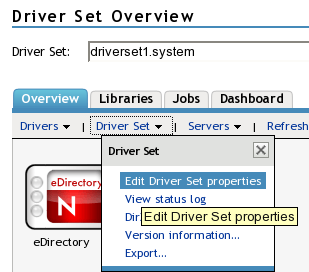
-
Click the tab, then select the for the driver set.
For an explanation of each log level, see Identity Manager Log Levels.
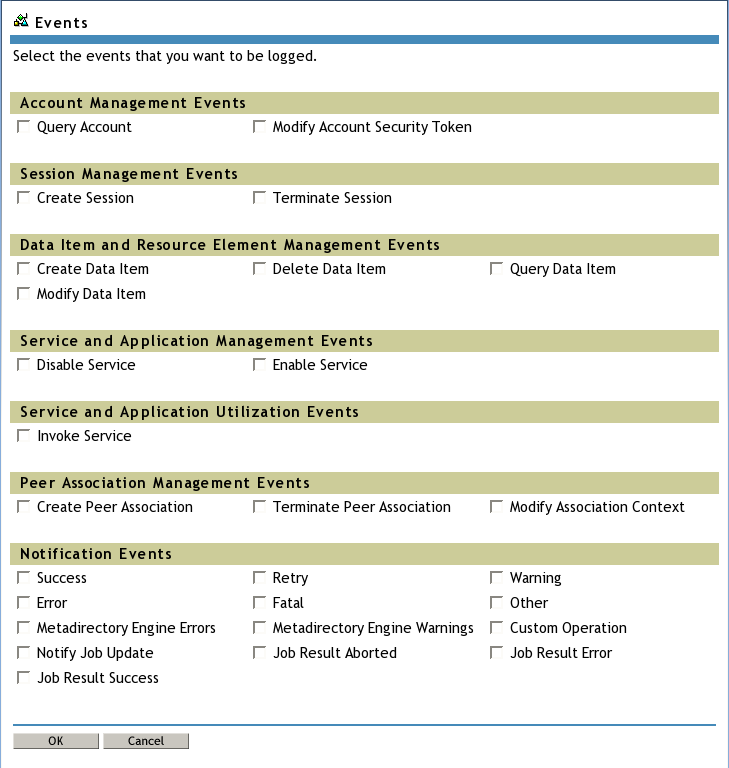
-
Click or to save your changes.
NOTE:Changes to configuration settings are logged by default.
When an XDAS event is selected, the corresponding subevents as described in the mapping in Table A-12 are selected for logging. The set of events configured for logging are same for Novell Audit and Novell XDASv2.